
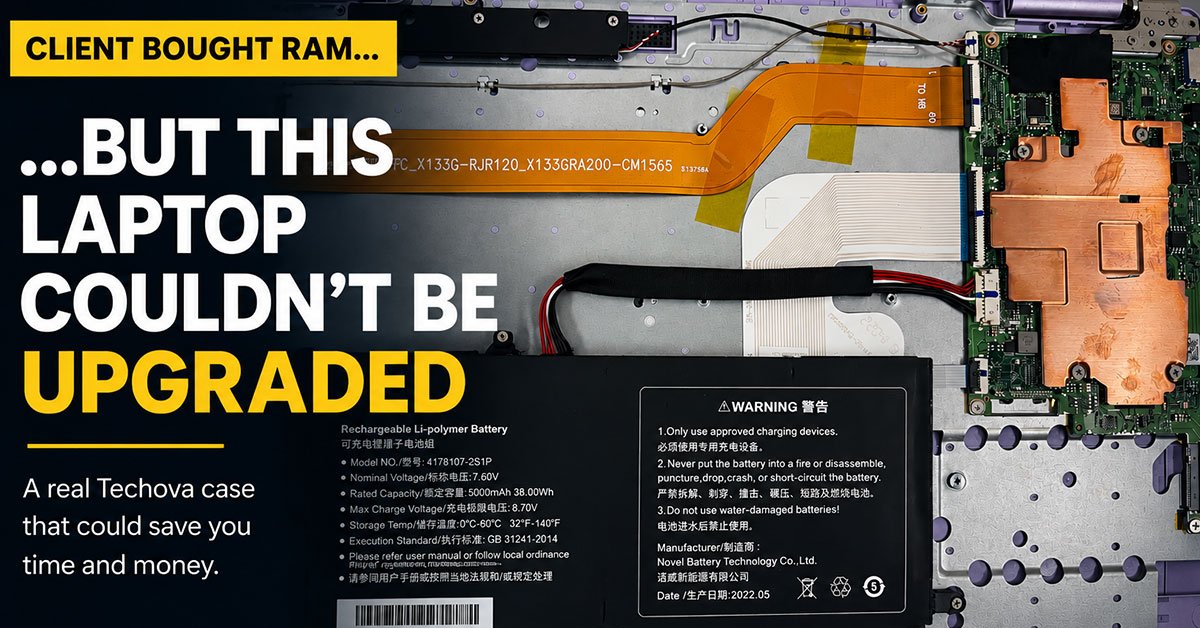
A client came to us with new RAM and a laptop that could not accept it. Here is what happened, why it happens so often, and what a proper assessment looks like before you spend a cent.
Last week, a client walked into Techova carrying a bag of freshly purchased laptop RAM. A trusted friend had told them their machine was slow because it needed more memory, pointed them toward a compatible kit online, and sent them our way to have it installed. Simple enough, by all appearances.
It was not simple.
What We Found
Before touching any component, we run a full assessment. The process takes a few minutes and has saved our clients a great deal of money over the years. In this case, it saved us all from an embarrassing mistake: the laptop used LPDDR4 memory soldered directly onto the motherboard. There was no slot. There never was. No amount of RAM in a bag was going to change that.
Soldering memory directly to the board is standard practice in most modern thin-and-light laptops. Manufacturers do it to save space and reduce power consumption, which allows for slimmer designs and longer battery life. The trade-off is that the memory is permanently fixed. The spec listed on the box when you buy the machine is the spec you live with.
The RAM the client purchased was completely unusable in their device. Not because it was the wrong brand or the wrong speed, but because the architecture of the laptop made any RAM upgrade physically impossible.
The Real Problem Was Never the Laptop
The person who recommended the upgrade was not trying to cause harm. They simply assumed all laptops work the way older laptops work, where memory slots are accessible and upgrades are straightforward. That assumption, never verified against the actual device model, was what cost our client money.
This situation comes up more often than you would expect. Thin laptops, ultrabooks, and many mid-range consumer machines released in the past several years are built with soldered or otherwise non-upgradeable components. Checking the manufacturer specifications before purchasing any hardware takes about five minutes and eliminates all of this risk.
What We Recommended Instead
Since a RAM upgrade was off the table, we shifted focus. We ran a performance audit and found several legitimate culprits behind the client’s slowdown: a near-full storage drive, a handful of startup processes consuming resources unnecessarily, and a browser cache that had grown to several gigabytes. We cleared, optimized, and tuned. The machine ran noticeably better before they left.
In cases where software optimization reaches its limits, we also look at storage upgrades, since swapping a spinning hard drive for an SSD produces one of the most dramatic performance improvements a laptop can receive without a full replacement. We map out the options honestly, including when the most cost-effective path is simply a new device.
Before You Buy, Ask First
If you are considering any upgrade for your laptop or desktop, bring the device to us before purchasing anything. We will confirm what is possible, identify what will actually solve your problem, and give you a clear picture of the cost and value of each option. That conversation is free. Buying the wrong part is not.
Ready to upgrade the right way?
Let Techova assess your device first. We verify before we recommend, so you only spend on what works.

0 Comments